
Once you understand what a share represents, the next practical question is simple: how do you actually buy one?
Philippine-listed shares are bought and sold through an authorized stockbroker or PSE trading participant. This guide walks through the process from choosing a broker to placing an order. It does not recommend a particular broker or stock.
Broker features, fees, account requirements, and app screens can change. Always confirm current details with the broker before opening or funding an account.
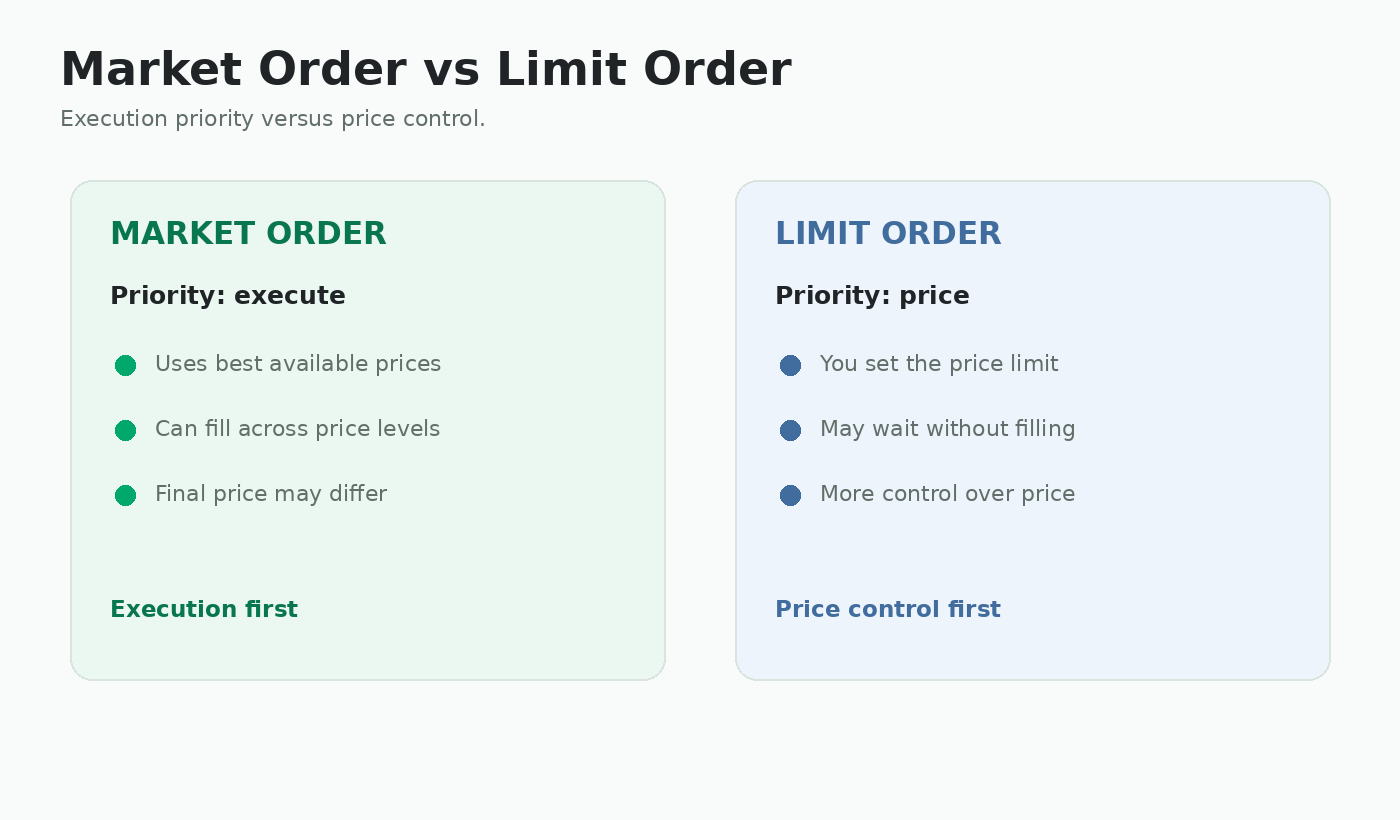
Market order vs limit order
Start with an authorized stockbroker
You normally do not buy shares directly from the Philippine Stock Exchange. Your orders are submitted through a stockbroker or trading participant.
The PSE distinguishes between traditional brokers, where a broker or trader can execute transactions for you, and online brokers, where you place orders yourself through a website or app.
For a beginner, useful things to compare include:
- Whether account opening can be completed online
- Minimum initial funding or balance requirements
- How easy it is to deposit and withdraw money
- Mobile and web access
- Brokerage commissions and other charges
- Research and educational tools
- Customer support
Before opening an account, verify the broker through the official PSE trading-participant directory or other official regulatory information.
Common ways to access Philippine stocks
There are several ways a beginner can get access to PSE-listed shares. Some services are standalone brokers, while others let you reach a licensed broker through an app you may already use.
GCash / GStocks PH
GStocks PH is available inside GCash and provides access to Philippine stocks through AB Capital Securities, Inc. A fully verified GCash user who meets the account requirements can apply from inside the GCash app.
Maya Stocks
Maya Stocks is an investing gateway inside the Maya app. Maya itself is not the stockbroker. The service connects users with participating licensed brokers. The brokers shown inside Maya can change over time, so check the current marketplace in the app.
Standalone online brokers
Examples of established or widely used online brokerage platforms include COL Financial, Philstocks, DragonFi, FirstMetroSec, BDO Securities, and BPI Trade. These are examples for comparison, not a StockBayan ranking or recommendation.
Important: Different brokers may have different opening requirements, minimum funding, fees, order types, research tools, and withdrawal procedures. Choose based on your own needs and verify current information with the provider.
Prepare the account-opening requirements
Broker account opening normally involves identity verification and Know Your Customer, or KYC, checks.
Depending on the broker and your circumstances, you may be asked for items such as:
- A valid government-issued ID
- Your Tax Identification Number, or TIN
- Personal and employment information
- A Philippine mobile number and email address
- A selfie or video identity check
- Specimen signatures
- Bank or settlement-account information
- Proof of address in some cases
Requirements can differ for foreign residents, overseas Filipinos, joint accounts, corporate accounts, and other account types.
Open and verify your brokerage account
Most major retail brokers now provide an online registration process.
A typical process looks like this:
- Create an account using the broker's official website or app.
- Enter your personal and financial information.
- Upload the required identification documents.
- Complete identity verification.
- Read the broker agreements and risk disclosures.
- Submit the application and wait for approval.
Do not open brokerage accounts from links sent by strangers or unofficial social-media accounts. Start from the broker's verified website or official app.
Fund the account before placing an order
Once the brokerage account is active, money must normally be available as buying power before an order can be executed.
Funding methods vary. They may include bank transfer, bills payment, InstaPay, PESONet, or an integrated e-wallet.
For example, GStocks PH uses a wallet inside the GCash service, while Maya Stocks can connect stock purchases and withdrawals with the Maya Wallet for supported broker integrations.
Always check:
- Whether the broker requires minimum initial funding
- Whether a deposit fee applies
- How long deposits normally take to become buying power
- How withdrawals are requested
- Whether sale proceeds must first settle before they can be withdrawn
Understand board lots before choosing the number of shares
PSE stocks normally trade using a board-lot system. The required lot size depends on the market price of the share.
This means you cannot always buy an arbitrary number of shares on the regular board.
Simple example:
If a stock trades at ₱52.60 and its board lot is 10 shares, one regular board lot costs approximately:
10 × ₱52.60 = ₱526.00 before fees.
A higher-priced stock may have a smaller board lot, while a low-priced stock can require thousands or even more shares per board lot.
StockBayan shows the board lot and an approximate minimum purchase amount for listed common shares in the Listed Companies section.
Understand a limit order
When placing a stock order, you normally specify the stock symbol, number of shares, and the price you are willing to pay or accept.
A limit buy order tells the broker the maximum price you are willing to pay.
A limit sell order tells the broker the minimum price you are willing to accept.
Example:
You submit an order to buy 100 shares at a limit price of ₱20.00.
- If a seller is available at ₱20.00 or lower, your order may execute.
- If sellers are asking more than ₱20.00, the order may remain unfilled.
- An order can also be partially filled if only some shares are available at an acceptable price.
Order types and how long an order remains active vary by broker. Read the order preview carefully before submitting.
Example: placing a first stock order
Imagine you have researched a fictional company with the ticker ABC and have decided independently that you want to buy shares.
The share price is around ₱20.00 and the board lot is 100 shares.
- Search for ABC in your brokerage platform.
- Select Buy.
- Enter 100 shares.
- Enter the limit price you are willing to pay.
- Review the estimated trade value and fees.
- Check the ticker, quantity, and price again.
- Submit the order.
- Check the order status to see whether it was filled, partially filled, or remained unfilled.
Submitting an order does not guarantee execution. A matching seller must be available at a price compatible with your order.
Remember that buying and selling have costs
The amount shown as share price is not always the exact amount that will leave or enter your account.
Transactions can include brokerage commission, VAT on the broker's commission, exchange or clearing fees, and taxes that apply to selling transactions.
Broker commission structures can differ. Some platforms also have their own funding, withdrawal, or service charges.
Before submitting an order, review the broker's trade preview or fee schedule rather than assuming that price × shares is the final amount.
StockBayan's approximate minimum purchase figure intentionally excludes trading fees and taxes.
What happens after you buy?
Once an order is executed, the shares appear in your brokerage portfolio according to the broker's processing and settlement procedures.
The market value of the position will then change as the share price moves.
Do not treat the trading app's daily red or green number as the only measure of whether the investment is working.
Continue following:
- Quarterly and annual reports
- Material company disclosures
- Debt and cash flow
- Dividends and corporate actions
- Changes in the company's business risks
This is where StockBayan is designed to help: understanding what the company is reporting after you become a shareholder.
Protect your brokerage account
A brokerage account contains both money and investments, so treat its security seriously.
- Use only official broker websites and apps.
- Use a strong, unique password.
- Enable available multi-factor or passkey protection.
- Never share one-time passwords or verification codes.
- Be suspicious of people promising guaranteed returns.
- Do not give another person remote access to your phone or computer to 'help' with an investment.
- Confirm account details before sending money.
A licensed broker gives you access to the market. It does not make an investment risk-free.
Before pressing Buy
Opening a brokerage account is only the mechanical part of investing.
Before buying a company, you should still understand what you are buying.
- Do I understand what the company does?
- Do I understand how it earns money?
- Have I looked at its recent financial performance?
- Have I checked its debt, cash flow, and major risks?
- Have I read recent company disclosures?
- Do I understand why I am interested in this company?
The next StockBayan beginner guide will turn these questions into a practical Before You Buy a Philippine Stock checklist.
Account and first-order checklist
- □ I selected an authorized broker or trading participant.
- □ I opened the account through an official website or app.
- □ I understand the broker's minimum funding and fees.
- □ I know how deposits and withdrawals work.
- □ I understand board lots.
- □ I know the difference between quantity and limit price.
- □ I review the ticker, number of shares, price, and estimated fees before submitting an order.
- □ I understand that an order may not be filled immediately.
- □ I protect my password and verification codes.
- □ I research the company before pressing Buy.